What a VPS Really Costs in 2026: The Full Price Breakdown

What a VPS Really Costs in 2026: The Full Price Breakdown
A basic 1 vCPU/2GB VPS runs $5 to $12 a month, a 2 vCPU/4GB plan lands between $10 and $25, and a 4 vCPU/8GB config typically costs $25 to $50 or more, depending on network quality and add-ons. The five things that actually move your bill are CPU performance, RAM, storage type, bandwidth quality, and how much management or add-on coverage you bolt on. The number on the pricing page is rarely the number on your invoice six months later.
TL;DR:
- Higher-performance CPUs with recent architecture and faster clock speeds significantly improve responsiveness for workloads like RDP and automation tasks.
- NVMe storage provides up to ten times faster read/write speeds than SATA SSDs, making it essential for IO-intensive applications and real-time data serving.
- Additional costs such as bandwidth overages, extra IPs, control panel licenses, and backups often double or triple the advertised base price.
- Managed VPS plans usually add 20 to 50 percent to costs but save time on security updates, monitoring, and support, which can be valuable for less technical users.
- Long-term billing and careful calculation of real, inclusive costs prevent overspending, especially considering hidden fees and renewal rate increases after promotional periods.
Table of Contents
- VPS Cost Breakdown by Component: What You’re Really Paying For
- What Do Sample VPS Configurations Actually Cost?
- Which Hidden Fees Turn a Cheap VPS Into an Expensive One?
- Is Managed VPS Hosting Worth the Extra Cost?
- How Do You Calculate Your Real Monthly VPS Cost?
- How to Cut VPS Costs Without Losing Reliability
- Why Ryzen and NVMe Actually Change the VPS Value Equation
- Get a Ryzen-Powered VPS With No Renewal Surprises
- Sources
- FAQ
VPS Cost Breakdown by Component: What You’re Really Paying For
Every VPS price tag hides a bundle of separate costs, and understanding each one is the only way to compare plans that look wildly different on paper but deliver similar value.
CPU is the single biggest driver of felt performance, and it’s not just about core count. A modern AMD Ryzen core running at a high clock speed often outperforms four older, slower cores for web serving, RDP sessions, and automation scripts, since single-core performance often matters more than raw core count for these workloads. Providers charge more for newer silicon generations because the throughput gain is real, not marketing.
RAM pricing has settled into a fairly predictable range, but the “price per gigabyte” varies enormously between providers bundling it with weaker CPUs versus stronger ones. Two plans at the same price with the same RAM can deliver very different performance if one pairs that memory with a sluggish processor.
Storage is where the biggest technical gap hides. NVMe drives are typically 5 to 10 times faster than older SATA SSDs for real-world read/write patterns, and NVMe has become standard on mid-tier plans. HDD-backed VPS plans still exist for cold storage or archival use, but they’re a poor fit for anything running a database or serving live traffic.
Bandwidth, IPs, and licensing round out the invoice:
- Bandwidth allowances vary from 1TB to unmetered, with overage typically billed per gigabyte once you exceed the cap
- Public IPv4 addresses commonly cost $1 to $4 per month each beyond the first included IP
- Windows Server licensing adds a fixed monthly fee that Linux-based plans skip entirely
- Control panel licenses (cPanel, Plesk) can add $10 to $20 or more per month depending on the tier
- Backup and snapshot service often runs 10 to 20% of the base VPS price, or a flat few dollars
| Component | Typical Price Range | What Drives the Cost |
|---|---|---|
| CPU (per core equivalent) | Varies by generation and clock speed | Newer architecture, higher single-core benchmarks |
| RAM | $2 to $5 per GB/month | Bundled CPU quality, DDR generation |
| NVMe storage | Higher $/GB than SSD, much higher IOPS | Speed premium for IO-heavy workloads |
| Extra IPv4 address | $1 to $4/month each | Address scarcity, provider policy |
| Windows license | Fixed add-on fee | OS licensing cost passed through |
| Backups/snapshots | 10 to 20% of base price | Storage overhead, retention window |
What Do Sample VPS Configurations Actually Cost?
Matching your workload to the right tier saves more money than any coupon code ever will. Here’s how the common configurations shake out in real 2026 pricing.
These bands come from current comparative pricing data across common provider tiers, and they hold up whether you’re shopping Windows RDP or Linux KVM plans. A few things push a configuration toward the top of its range instead of the bottom:
- Premium network routing or private peering agreements that reduce latency
- NVMe storage on every tier instead of only the higher plans
- DDoS protection bundled in by default rather than sold separately
- Data center location, since North American and European capacity often price differently than budget regions
Billing frequency matters more than most buyers expect. Hourly billing is genuinely useful for bursty workloads, like a batch job that spins up for six hours a month, because you only pay for active time. But for anything running continuously, monthly or annual billing almost always beats the hourly rate stacked up over 720 hours. Providers price hourly plans assuming most customers will overpay through idle time.
Which Hidden Fees Turn a Cheap VPS Into an Expensive One?
The advertised price and the real price are frequently two different numbers, and the gap shows up in predictable places.
- Introductory pricing versus renewal pricing. A plan advertised at $5/month for the first term can renew at $9 or $10/month afterward. Multiply the difference across 24 or 36 months before you commit, because that “50% off” banner only applies once.
- Backup and snapshot fees. These are often billed as a percentage of the base plan (10 to 20%) or a flat monthly add on, and they rarely show up in the headline price.
- Bandwidth overage charges. Overage is commonly billed around $0.01 per GB, which sounds trivial until a traffic spike or a misconfigured backup job pushes you thousands of gigabytes over your cap in a single billing cycle.
- DDoS protection and extra IP charges. Basic protection is often included, but advanced mitigation and additional IPv4 addresses are frequently separate line items at $1 to $4 each.
- Control panel licensing. cPanel or Plesk licenses stack directly onto the base price and rarely appear in the plan’s advertised figure.
Here’s how that math plays out in practice: a $5/month base plan picks up a $1 backup add-on, a $3 extra IP, a $5 control panel license, and $10 to $15 in bandwidth overage during a busy month. That “$5 VPS” just became a $25 to $40 monthly bill, and total ownership cost often didn’t fall even as headline base prices dropped 15 to 25% since 2023. Providers moved the margin, not eliminated it.
Is Managed VPS Hosting Worth the Extra Cost?
Unmanaged VPS hosting gives you the server and nothing else. You handle OS updates, security patching, firewall configuration, and troubleshooting yourself. Managed VPS hosting adds a provider team that handles those tasks, and it typically costs 20 to 50% more than the equivalent unmanaged plan.
What that premium usually buys:
- Security patching and OS updates on a defined schedule
- 24/7 monitoring with alerts before small problems become outages
- Direct support access for configuration issues, not just hardware failures
- Pre-configured backups and disaster recovery procedures
The decision rule is simpler than it sounds: calculate what your own time is worth per hour, then estimate how many hours a month you’d actually spend on server administration if you went unmanaged. If that math exceeds the managed premium, pay for managed. If you already run Linux boxes for a living or you’re comfortable in a Windows Server console, unmanaged usually wins.
Pro Tip: Don’t average this decision across your whole infrastructure. Put your customer-facing production server on managed hosting and keep your test or staging environment unmanaged. You get the safety net where it matters and save the premium where it doesn’t.
How Do You Calculate Your Real Monthly VPS Cost?
A plan’s list price is a starting point, not an answer. Run through these five steps before you compare providers.
- Pick the configuration that matches your actual workload, not the cheapest tier available. An automation script pushing constant CPU load needs more headroom than a personal blog, even if both technically “run” on 1 vCPU.
- Add every mandatory add-on to the base price. Backups, a control panel license if you need one, extra IPs, and baseline DDoS protection if it’s not included by default all belong in this number, not treated as optional extras.
- Estimate your bandwidth and likely overage. Pull your current traffic numbers if you have them, or use a conservative estimate for a new project, then multiply expected overage gigabytes by the per-GB rate.
- Add management cost or your own labor time. If you’re going unmanaged, assign a real dollar value to the hours you’ll spend on maintenance instead of pretending that time is free.
- Project the total across 12 to 36 months, including renewal pricing. An intro rate that expires in month four changes your real average monthly cost more than almost anything else on this list.
Run these five steps against two or three providers side by side and the “cheap” plan on the surface often loses to a slightly pricier one with fewer add-ons required.
How to Cut VPS Costs Without Losing Reliability
Cutting your VPS bill doesn’t have to mean cutting corners on uptime. A few targeted changes make a real dent.
- Choose fewer, faster cores over more, slower ones when your workload is CPU-bound rather than parallel, since clock speed usually beats core count for RDP and automation tasks.
- Offload cold backups to cheaper object storage instead of paying premium NVMe pricing for data you rarely touch.
- Route static assets through a CDN to cut egress traffic and avoid bandwidth overage charges entirely.
- Set up basic monitoring and alerts so a runaway process or traffic spike gets caught before it turns into a surprise overage bill.
Pro Tip: Lock in a longer billing term once you’ve validated a plan works for your workload. Monthly billing gives you flexibility, but annual terms often avoid the renewal-cliff pricing that quietly doubles your rate in year two.
Why Ryzen and NVMe Actually Change the VPS Value Equation
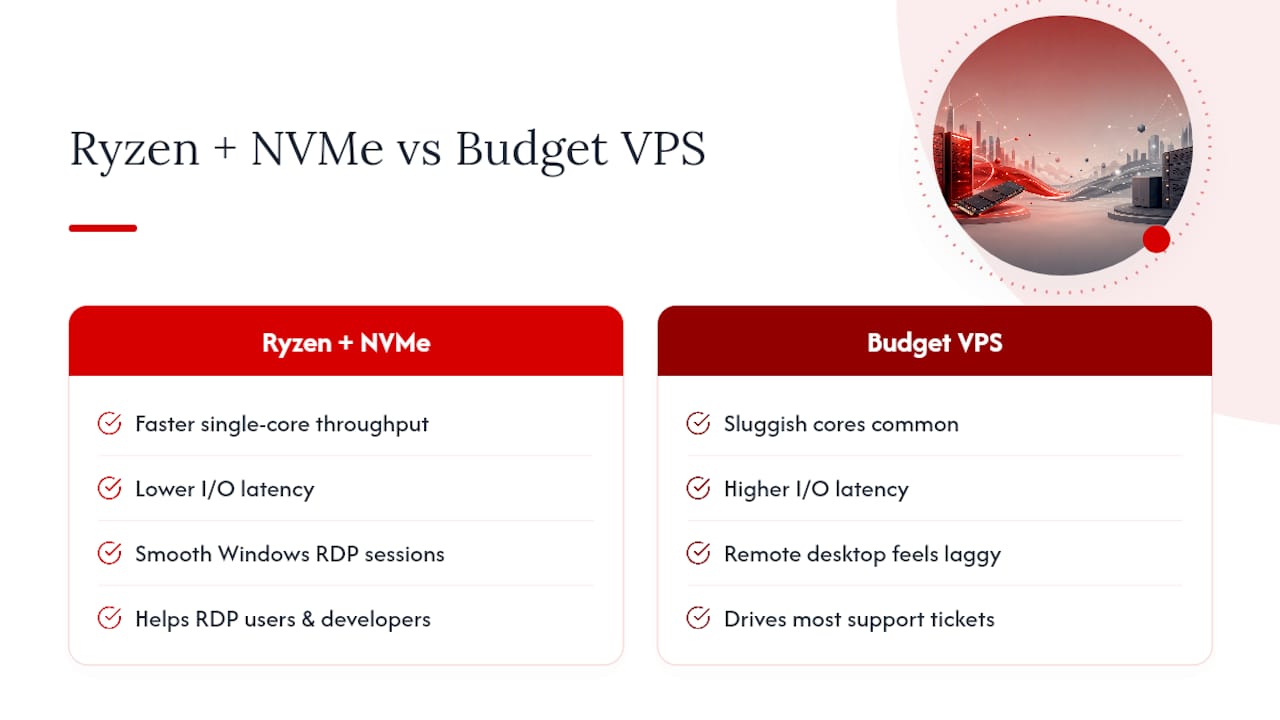
Not every premium is padding. AMD Ryzen processors paired with NVMe storage deliver measurably faster single-core throughput and lower IO latency, and that difference is felt directly in Windows RDP sessions, automation pipelines, and any workload sensitive to response time. A sluggish core doesn’t just run slower. It makes a remote desktop feel laggy under normal use, which is the exact complaint that drives most support tickets on budget VPS plans.
Where this matters most: RDP users running multiple applications, developers automating builds or scraping tasks, and anyone running latency-sensitive services across multiple regions. Instant provisioning and built-in DDoS protection matter here too, because a fast server that goes down under a basic attack was never actually fast.
— AceRDP
Get a Ryzen-Powered VPS With No Renewal Surprises
AceRDP builds its Windows RDP and KVM VPS plans on AMD Ryzen processors with NVMe storage across multiple locations, so the performance you get on day one is the same performance you get on day ninety, not a spec that quietly degrades once the marketing tier ends.

If you’re running RDP sessions, automation workloads, development environments, or business applications that need predictable performance instead of a teaser rate that jumps at renewal, AceRDP’s plans come with DDoS protection, instant provisioning, and flexible payment through credit card or crypto, with no hidden add-on maze to decode later. Check current plan specs and pricing on the AceRDP hosting page and pick the configuration that matches the workload you actually run, not the one that looks cheapest on a comparison chart.
Navigating Your 2026 VPS Pricing Guide
- 2026 VPS Pricing Guide: How Much Should You Spend For A Good VPS | VPS Rankings
- VPS Prices Are Falling — But Your Bill Is Not
- 2026 VPS Price Comparison: How Much Do 1 vCPU/2GB, 2 vCPU/4GB, and 4 vCPU/8GB Servers Cost? | VPS SOS
- How much does VPS hosting cost? Complete pricing guide
FAQ
How much does a VPS cost per month?
Most VPS plans run $5 to $50 a month depending on the configuration, with a 1 vCPU/2GB plan typically costing $5 to $12 and a 4 vCPU/8GB plan running $25 to $50 or more once add-ons are included.
How much does a VPS server cost overall, including add-ons?
Once you add backups, extra IPs, and control panel licensing, a $5 base plan can realistically reach $25 to $40 a month, so budget for the add-ons up front rather than treating the base price as your final cost.
Which VPS provider is the most affordable?
Affordability depends on matching your workload to the right tier rather than chasing the lowest sticker price, since a bare-bones $3 plan often costs more once mandatory add-ons and overage fees are factored in. AceRDP prices its Ryzen-powered plans to keep NVMe storage and DDoS protection included rather than sold as extras, which keeps the real monthly total closer to the advertised one.
Which VPS is the cheapest?
The cheapest technically available VPS plans sit under $5 a month, but a rule of thumb worth following is to expect real compromises below $3 and to treat $5 to $15 as the realistic floor for dependable performance.
Is managed VPS hosting worth the extra cost?
It depends on your time and technical comfort. Managed hosting typically costs 20 to 50% more than unmanaged, and it’s worth paying if the hours you’d otherwise spend on server administration are worth more than that premium.


