From $5 to $200+: RDP Server Cost vs the Real Total
From $5 to $200+: RDP Server Cost vs the Real Total
Expect entry-level pricing in the low single digits to mid-teens per month for a basic single-user RDP VPS, midrange plans suitable for more multitasking to cost around tens of dollars per month, and higher-end plans for intensive use or multiple users to be more expensive, possibly exceeding that range. The number that blind sides most buyers isn’t the server bill at all. It’s Windows licensing, specifically RDS CALs, which can quietly double or triple your monthly cost the moment more than one person needs to log in. Run the math with a licensing line item from day one, not as an afterthought.
TL;DR:
- Entry-level RDP plans typically cost $5 to $15 per month, suitable for single users with light workloads and limited multitasking.
- Midrange plans range from $20 to $60 per month, providing enough resources for one power user or small multi-session environments, but licensing costs can significantly increase expenses.
- High-performance setups costing over $80 per month are designed for multiple users or intensive tasks but often incur additional costs for Windows Server licenses and RDS CALs.
- Licensing costs for RDS CALs can double or triple monthly bills if multiple users need simultaneous access, especially when buying separately or upgrading server versions.
- Accurately estimating costs requires considering workload size, license types, server hardware, storage, location, and recurring add-ons, rather than relying solely on advertised base prices.
Table of Contents
- What Does an RDP Server Cost at Each Performance Tier?
- What Actually Drives Your Monthly RDP Bill?
- How Much Do Windows Licensing and RDS CALs Really Add?
- What Do Real RDP Budgets Look Like?
- How Do You Estimate Your Own RDP Costs?
- How Does AceRDP Address These Cost Drivers?
- The Real Buying Priorities Nobody Tells You Upfront
- Get a Quote That Matches Your Actual Workload
- Where the Licensing and Pricing Facts in This Guide Come From
- Sources
- FAQ
What Does an RDP Server Cost at Each Performance Tier?
Advertised prices track resource allocation almost perfectly, and once you know the pattern, you can spot a bad deal in seconds. Vendor pricing pages commonly show entry VPS plans at relatively low monthly costs, with midrange tiers priced moderately higher, based on aggregated market listings. Add licensing and services and the real number moves higher, but the base hardware tiers break down predictably.
- Entry-level ($5 to $15/month): 1 to 2 vCPUs, 2 to 4 GB RAM, 30 to 60 GB SSD or NVMe storage. Fine for a single user running a browser, light office apps, or a monitoring script. Struggles the moment you open a dozen tabs and a spreadsheet at once.
- Midrange ($20 to $60/month): 4 vCPUs, 8 to 16 GB RAM, 100 to 200 GB NVMe. Comfortable for one power user or light multi-session work, trading tools, or a small development environment.
- High-performance ($80 to $200+/month): 6 to 16+ dedicated or high-clock vCPUs, 32 GB RAM or more, fast NVMe arrays, sometimes GPU passthrough. Built for heavy applications, several concurrent users, or rendering and compilation workloads.
Two caveats matter more than the sticker price. First, promotional first-term pricing (a common “50% off your first month” hook) often reverts to a higher renewal rate, so check the renewal price, not just the intro offer. Second, currency and region shift the math. A plan priced in euros through a European provider will read differently once converted, and billing cycles (monthly versus annual) can swing the effective monthly rate by 10 to 20% either direction.
What Actually Drives Your Monthly RDP Bill?
Two servers with identical vCPU counts can feel completely different to use, and the gap almost always comes down to how those cores are allocated and what’s behind them. Here’s what actually moves the needle on both performance and price:
- CPU architecture and allocation. A dedicated core on modern silicon like AMD Ryzen chips handles interactive RDP sessions (mouse input, window rendering, app switching) far better than a shared, oversold vCPU on older hardware. Two “2 vCPU” plans are not the same product.
- Memory per session. A single interactive Windows desktop session typically needs 2 to 4 GB of RAM per active user depending on the applications running. Multiply that by concurrent users, not total accounts, when you’re sizing a multi-user host.
- Storage type. NVMe drives cut application load times and desktop responsiveness noticeably compared to SATA SSD or spinning HDD storage, especially under multiple simultaneous logins.
- Bandwidth, latency, and location. A server two time zones away introduces lag that no amount of CPU fixes. Pick a data center close to your actual users.
- Recurring add-ons. Backups, uptime monitoring, DDoS protection, and extra IPv4 addresses often bill separately and can add $5 to $30 a month on top of the base plan.
Pro Tip: Undersizing RAM is the single most common reason buyers scale up mid-contract. Budget for concurrent users, not registered accounts, and you’ll avoid the surprise upgrade fee.
How Much Do Windows Licensing and RDS CALs Really Add?
This is where advertised prices and real prices diverge the most, and it’s the part almost nobody budgets for correctly. Windows 11 Pro includes the Remote Desktop host capability at no extra fee, which covers you completely if you’re the only person logging into that machine. Windows Home editions don’t include that host feature at all, so checking your OS edition before you buy is step one.
The moment a second or third person needs simultaneous access, the picture changes. You now need Windows Server plus RDS CALs, sold per user or per device, layered on top of the Windows Server CALs you also need underneath. Some hosting providers absorb this complexity by operating under Microsoft’s SPLA or SAL programs, bundling licensing into your monthly bill as a single line item instead of a separate purchase.
Where budgets break down:
- Buyers price a Windows Server RDS host, then forget the base Windows Server CALs sitting underneath the RDS layer, and get hit with a compliance gap.
- CALs are tied to the server OS version, so an upgrade cycle can trigger a costly repurchase if you’re on per-user CALs rather than a concurrent licensing model.
- Nobody compares the 3-year cost of buying CALs outright (a capital expense) against a hosted subscription (an operating expense) before signing anything.
Licensing reality check: Remote desktop software pricing spans a wide range, from free personal-use tools to enterprise deployments running hundreds of dollars per user, per month, with licensing model being one of the biggest swing factors in that range.
What Do Real RDP Budgets Look Like?
Numbers on a pricing page are theoretical until you run them against an actual use case. Here are three profiles that show how the math actually plays out.
- Individual power user. One person, one session, Windows 11 Pro already covers licensing. A midrange VPS at roughly $30/month plus a $5 backup add-on lands around $35/month, or $1,260 over three years. No CAL math needed since it’s a single-user, single-device setup.
- Small team, 5 users. A self-managed Windows Server VPS runs maybe $50/month, but you now need Windows Server CALs plus 5 RDS CALs, which can add $150 to $300 as an upfront capital cost, then $10 to $20/month for support and backups. A hosted RDS subscription that bundles licensing might instead run $25 to $35 per user per month, or $125 to $175/month total. Over three years, the self-managed CAL purchase often wins on raw cost, but only if you don’t upgrade server versions mid-cycle.
- Medium deployment, 50 seats. Buying 50 RDS CALs outright can run into several thousand dollars upfront, on top of server hardware sized for that concurrency. A hosted, per-user subscription model spreads that same cost across monthly billing, which usually costs more over three years but avoids the CAPEX hit and the version-lock repurchase risk entirely.
Adjust these by your actual concurrent-user count, not your total headcount. A 50-seat license doesn’t mean 50 people are logged in at once.
How Do You Estimate Your Own RDP Costs?
Building your own number takes less time than most vendor sales calls, and it protects you from the licensing surprise that catches nearly everyone. Work through it in order:
- Define your workload. How many total users, how many concurrent sessions, and what apps are they running? A CRM and a browser is not the same load as CAD software.
- Map that to a price band. Use the entry, midrange, and high-performance tiers above as your starting reference point.
- Pick a licensing model. Windows Pro for single-user, or RDS CALs versus hosted licensing for multi-user, and price both paths before choosing.
- Add recurring services. Backups, monitoring, DDoS protection, extra IPs. Multiply monthly totals by 36 for a 3-year comparison, and factor in a licensing repurchase if a server version upgrade falls inside that window.
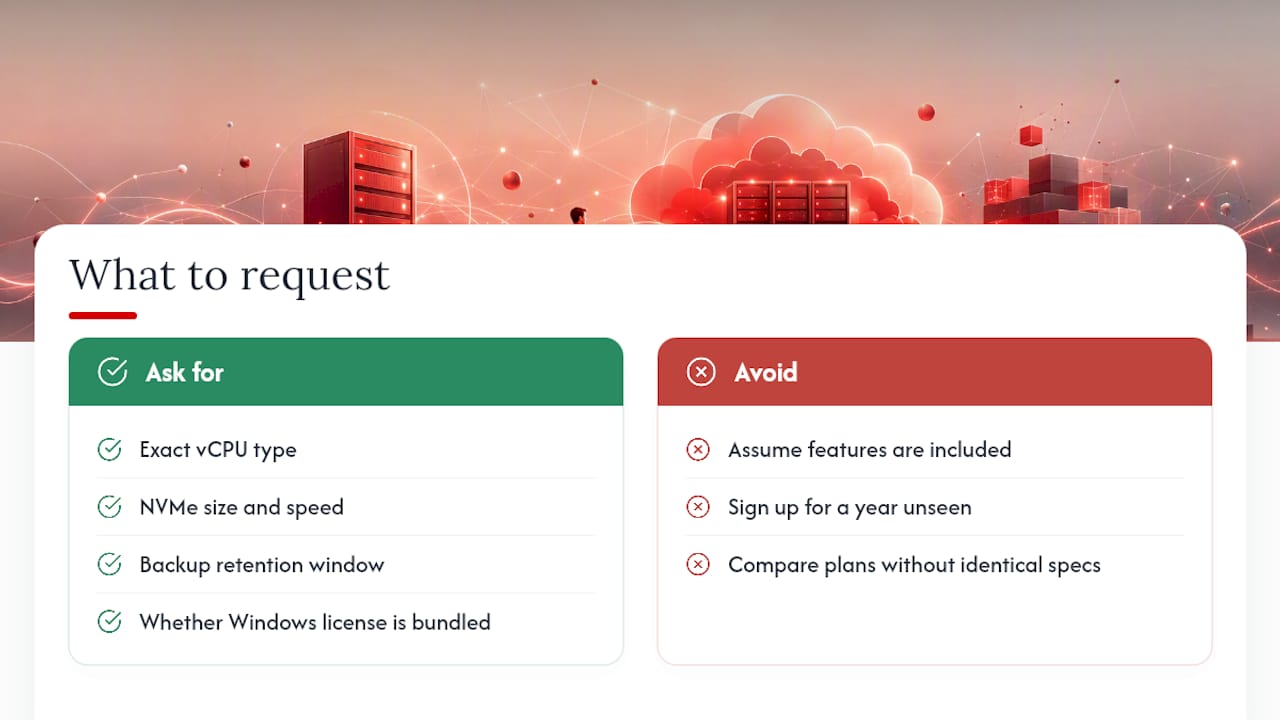
- Request matching specs from vendors. Ask for exact vCPU type (dedicated versus shared), NVMe size and speed, backup retention window, and whether licensing is bundled or billed separately.
Pro Tip: Ask every vendor the same five questions in the same order. Apples-to-apples quotes only happen when you control the format of the comparison, not the sales page.
How Does AceRDP Address These Cost Drivers?
AceRDP’s plans run on AMD Ryzen infrastructure with NVMe storage across the board, which directly answers the CPU and storage tradeoffs covered above. Dedicated, modern cores mean less contention during interactive sessions, and NVMe means faster app load times than SATA SSD tiers common on budget VPS providers.
Several of the recurring costs that catch buyers off guard are built into the plan rather than billed as extras:
- Instant provisioning through an automated portal, so you’re not paying for setup delays or manual configuration fees.
- DDoS protection included rather than sold as a separate monthly add-on.
- Responsive 24/7 support for troubleshooting, instead of a paid support tier bolted onto the base price.
- Multiple locations (Netherlands and US), letting you match server location to user location and reduce the latency issue covered earlier.
When you request a quote across AceRDP’s Bronze, Silver, Gold, Platinum, Diamond, Titanium, Obsidian, and Legend tiers, ask specifically for the vCPU type, NVMe size and read/write speed, backup retention period, and whether licensing is bundled into the plan. That’s the same checklist from the estimating section above, and it’s how you validate any provider’s numbers against your own budget.
The Real Buying Priorities Nobody Tells You Upfront
Most RDP shopping guides tell you to compare specs sheets side by side. That’s backwards. Start with your workload, then let the specs follow, because a 4 vCPU plan that’s overkill for one user is undersized for five.
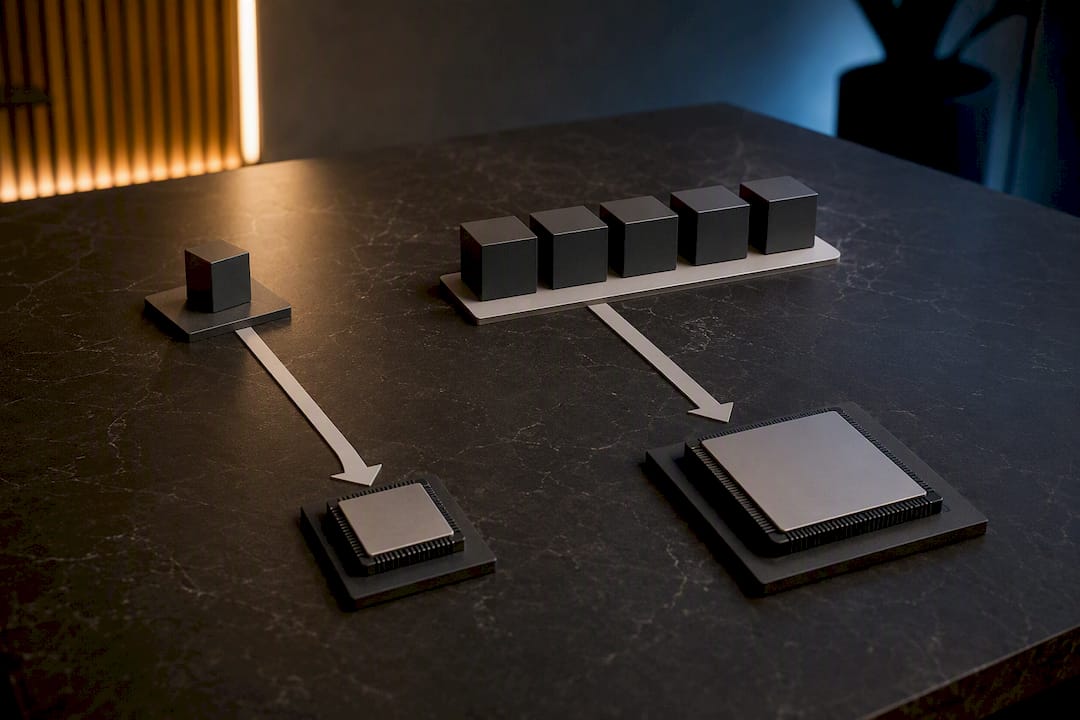
Licensing deserves its own line item, calculated before you pick a server, not after. Run the hosted-versus-buy math from the worked scenarios above against your actual headcount and your actual upgrade timeline, since that single decision often swings your 3-year total more than any hardware choice does.
And test before you commit to a year. A short-term plan or trial period reveals real-world latency and responsiveness in a way no spec sheet can. If a server feels sluggish in week one, no amount of RAM fixes the distance between you and the data center.
— AceRDP
Get a Quote That Matches Your Actual Workload
Some providers run on AMD Ryzen CPUs with NVMe storage across their tiers, offering performance that can reflect in real session responsiveness. Features such as DDoS protection, instant provisioning, and 24/7 support may be included, and multiple geographic locations might be available to match user needs.

Before you commit to any plan, request a quote that specifies exact vCPU type, NVMe size and speed, backup retention window, and whether Windows licensing is bundled into the monthly rate or billed separately. That’s the same information you’d need from any provider to run an honest comparison, and it’s the fastest way to know if a plan actually fits your workload before you sign up for a year. If you’re weighing infrastructure costs for adjacent workloads like proxy or remote-access networking, NatProxies’ pricing breakdown is a useful reference point for how concurrency affects cost elsewhere in that stack.
Head to AceRDP’s plan lineup and request a custom quote or short-term trial to see how Bronze through Legend map against the budget you just built.
Where the Licensing and Pricing Facts in This Guide Come From
The licensing details and price ranges above come from a small set of sources worth reading directly if you’re finalizing a multi-user RDS budget.
- Remote Desktop Pricing and Software Cost Guide for 2026, for market price ranges and the case against judging cost by base price alone.
- Microsoft Q&A on Remote Desktop and Windows 11 licensing, confirming Pro editions include RDP host capability at no extra fee.
- RDS CALs Explained: Cost, Licensing, and Audit Risk, on how per-user and per-device CALs stack with Windows Server CALs.
- Remote Desktop CAL Cost breakdown, on version-locked licensing and concurrent versus per-user cost tradeoffs.
Sources
- Remote Desktop Pricing and Software Cost Guide for 2026
- Is there a cost for Remote desktop with Windows 11 - Microsoft Q&A
- RDS CALs Explained: Cost, Licensing, and Audit Risk | Apps4Rent
- Remote Desktop CAL Cost - What RDS Licensing Really Costs
FAQ
How much does an RDP server cost per month?
Basic single-user plans run $5 to $15 a month, midrange plans with more RAM and CPU run $20 to $60, and high-performance or multi-user setups often exceed $80 once licensing and services are included.
Is there a free RDP server available?
Windows 11 Pro includes free built-in Remote Desktop host capability for connecting to your own PC, but that’s not a hosted server. Running an actual VPS or dedicated server always carries a hosting cost, even at entry-level tiers.
Where can I buy an RDP server?
You can buy RDP hosting directly from VPS providers like AceRDP, which offers Windows and Linux VPS plans across multiple tiers with AMD Ryzen hardware and NVMe storage.
How much do RDS CALs cost on top of the server price?
RDS CALs are sold per user or per device and stack on top of Windows Server and Windows Server CAL costs, which is why multi-user setups often cost far more than the advertised server price suggests. Many hosting providers bundle this into a monthly fee instead of requiring a separate purchase.
Do I need Windows Server for a single-user RDP setup?
No. Windows 11 Pro already includes the Remote Desktop host feature at no additional cost, so a single-user setup never requires Windows Server or RDS CALs at all.