Container vs VM: A Practical Guide for Developers

Container vs VM: A Practical Guide for Developers
Choose containers when you need fast, lightweight, portable application instances. Choose virtual machines when you need full OS isolation, mixed guest operating systems, or custom kernel behavior. Combine both when your architecture demands the agility of containers but a compliance or security requirement forces hard tenant separation.
The diagnostic signals are simple once you know what to look for:
- Do you need a non-Linux kernel or custom kernel module? That points to a VM.
- Is startup latency in milliseconds critical (autoscaling, CI runners)? That points to containers.
- Is regulatory or multi-tenant isolation the top priority? Lean VM, or containers-inside-a-VM.
- Does image size and host density matter at scale? Containers win almost every time.
Under the hood, containers rely on Linux kernel namespaces and cgroups for isolation and resource limits, while VMs depend on a hypervisor such as KVM or Hyper-V to run a full guest kernel. Orchestrators like Kubernetes sit on top of containers to manage scale; hypervisor tooling like VMware manages VM fleets the same way.
Key Takeaways
The right choice between a container and a VM comes down to matching your isolation, density, and OS requirements to the architecture that actually satisfies them.
| Point | Details |
|---|---|
| Containers win on speed | They start in milliseconds and pack far more instances per host than VMs. |
| VMs win on isolation | A dedicated guest kernel protects against host-kernel exploits that affect containers. |
| Image size drives CI/CD speed | Minimal base images and multi-stage builds shrink containers from gigabytes to megabytes. |
| Hybrid patterns solve real problems | Running containers inside VMs adds kernel-level isolation for regulated multi-tenant workloads. |
| Tooling differs by model | Docker and Kubernetes manage containers; KVM, Hyper-V, and VMware manage VM fleets. |
Table of Contents
- Container vs VM: What Each One Actually Virtualizes
- How Do Containers and VMs Compare Side by Side?
- Which One Performs Better at Scale?
- Are Containers Less Secure Than VMs?
- When Should You Use Containers, VMs, or Both?
- What Tools Manage Containers and VMs in Production?
- How Do Storage and Networking Differ?
- Our Take on Running Containers and VMs in Production
- Frequently Asked Questions
- Sources
Container vs VM: What Each One Actually Virtualizes
A container virtualizes the operating system. It runs as a user-mode process on the host kernel, isolated by namespaces and metered by cgroups, with an overlay filesystem (typically OverlayFS) stacking read-only image layers under a writable layer. A VM virtualizes hardware. A hypervisor, either type-1 (bare metal, like KVM) or type-2 (hosted, like some VMware Workstation deployments), emulates devices and boots a completely separate guest kernel on top.
That distinction, laid out clearly in Microsoft’s architecture comparison, is the root of almost every trade-off in this article:
- Namespaces give each container its own view of processes, network interfaces, and mounts.
- Cgroups cap how much CPU, memory, and I/O a container can consume.
- OverlayFS layers images so common base layers get shared and cached across containers.
- Guest kernels in VMs mean Hyper-V, KVM, and VMware each boot a real, independent operating system instance, not a process.
Docker popularized the container runtime model; Kubernetes popularized orchestrating thousands of them at once.
How Do Containers and VMs Compare Side by Side?
| Dimension | Containers | Virtual Machines |
|---|---|---|
| Isolation/security | Shared host kernel; process-level isolation | Dedicated guest kernel; strong hardware-level isolation |
| Resource overhead | Low; megabytes of RAM/disk per instance | Higher; each guest OS consumes dedicated RAM and disk |
| Startup time | Milliseconds to seconds | Tens of seconds to minutes (full OS boot) |
| Portability | Highly portable across hosts with a compatible kernel | Portable via VM images, but larger and slower to move |
| OS/guest compatibility | Must match host kernel family (mostly Linux-on-Linux) | Any guest OS, independent of host OS |
| Persistence & storage | Volumes, bind mounts, external block/file storage | Virtual disks, snapshots, block devices |
| Orchestration/management | Registries, orchestrators, declarative manifests | Hypervisor consoles, templates, VM managers |
| Typical use cases | Microservices, CI/CD, stateless APIs | Legacy apps, multi-OS testing, regulated workloads |
| Cost/efficiency | High density, low per-instance cost | Lower density, higher per-instance resource cost |
Pro Tip: Running containers inside a VM is not redundant, it is a deliberate defense-in-depth pattern for multi-tenant hosts where you need both container agility and hard kernel separation between customers.
Which One Performs Better at Scale?
Containers typically start in milliseconds because there’s no OS to boot. A VM has to POST, load a bootloader, initialize a kernel, and start services before it’s usable, which routinely takes tens of seconds. That gap compounds at scale: you can pack far more containers than VMs onto the same hardware, since containers share one kernel instead of each carrying a full guest OS in memory.
- Image size drives a lot of this. Small base images (Alpine-style) can weigh a few megabytes, while a comparable VM image often runs into gigabytes, and that difference directly affects pull times, storage costs, and CI/CD speed.
- Multi-stage Dockerfile builds and smart layer ordering shrink final images further and speed up rebuilds.
- Debugging shifts too: container tooling inspects processes and namespaces directly on the host, while VM debugging usually means reaching into the guest OS through its own tools.
Expect containers to win density and boot-speed benchmarks by a wide margin; expect VMs to win when the workload genuinely needs a full, isolated OS.
Are Containers Less Secure Than VMs?
Containers share the host kernel, so a kernel exploit theoretically threatens every container on that host. A VM’s guest kernel is isolated from the host and from sibling VMs, which is why regulated, multi-tenant workloads still lean on VMs for the strongest isolation guarantee. That’s not a reason to avoid containers, it’s a reason to harden them properly.
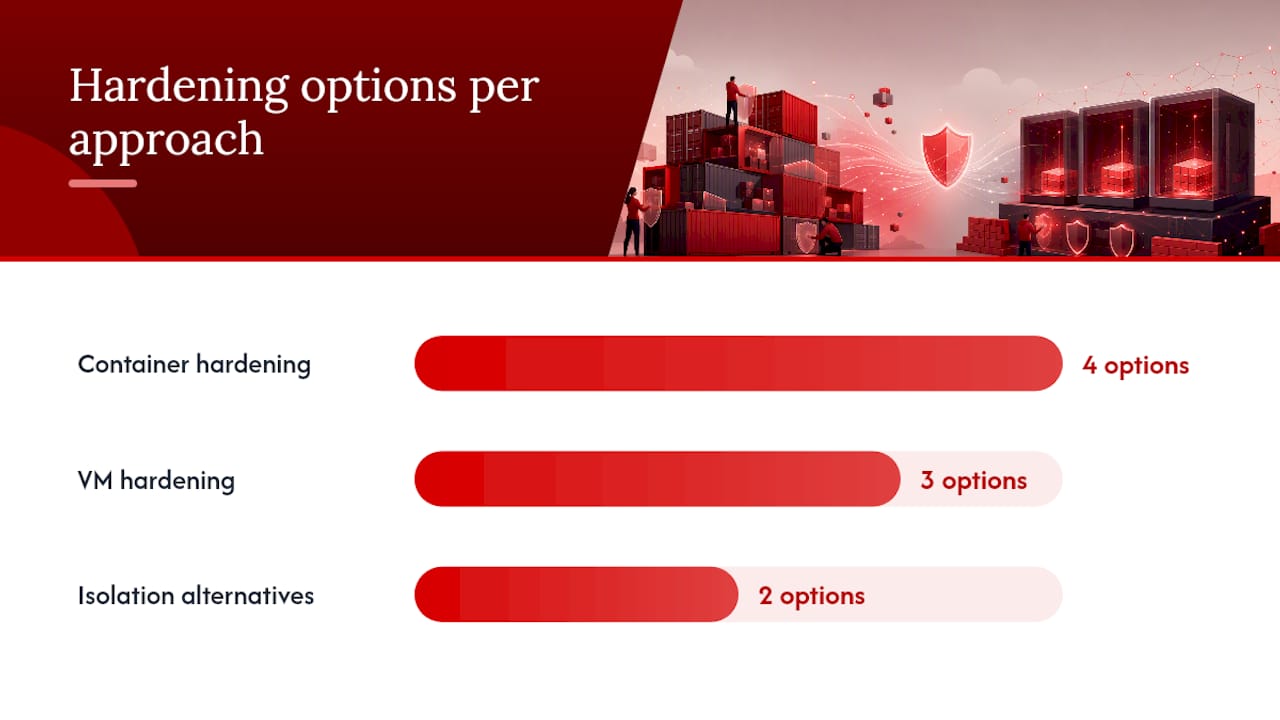
Container hardening options worth adopting:
- Run processes as non-root users inside images.
- Apply seccomp profiles and AppArmor or SELinux policies to limit syscalls.
- Scan images for known vulnerabilities before deployment.
- Use minimal base images to shrink the attack surface.
VM hardening options that matter just as much:
- Keep the hypervisor patched and enable secure boot.
- Patch guest OSes on their own schedule, independent of the host.
- Segment VM networks so a compromised guest can’t reach unrelated systems.
Pro Tip: When you need container agility but can’t accept shared-kernel risk, look at Hyper-V isolation mode or Kata Containers, both give each container a lightweight, dedicated VM boundary instead of sharing the host kernel outright.
When Should You Use Containers, VMs, or Both?
Run through this checklist before you commit to an architecture:
- Does the workload need a non-Linux OS or custom kernel module? Choose a VM.
- Is strict tenant or compliance isolation the top requirement? Choose a VM, or containers wrapped in a VM boundary.
- Do you need dev-test parity and fast CI/CD cycles? Choose containers.
- Is host density and cost-per-instance the priority at scale? Choose containers.
- Do you need GPU passthrough or hardware-specific access? Choose a VM.
Concrete patterns that map cleanly to each choice:
- Cloud-native microservices, CI runners, and stateless web APIs belong in containers, managed by Docker and scheduled by Kubernetes.
- Legacy monoliths, Windows-only line-of-business apps, GPU passthrough workloads, and multi-OS QA testing belong on VMs, run through KVM, Hyper-V, or VMware.
- Regulated multi-tenant platforms often run containers inside VMs, giving each tenant its own kernel boundary while still getting container-level deployment speed, a pattern Red Hat documents extensively in production OpenShift environments.
Once you know which bucket you’re in, next steps are straightforward: containerize with minimal base images and a manifest-driven orchestrator, or provision VM templates on a hypervisor sized for your guest OS and workload.
What Tools Manage Containers and VMs in Production?
Different operational stacks handle each model, and knowing which tool solves which problem saves a lot of trial and error.
- Docker builds and runs containers locally; containerd and runc are the lower-level runtimes many platforms actually execute under the hood.
- Kubernetes schedules, scales, and self-heals container workloads across a cluster.
- KubeVirt runs full VMs as workloads inside a Kubernetes cluster, a bridge pattern that IBM highlights as unifying container and VM lifecycle management.
- KVM, Hyper-V, and VMware vSphere handle VM provisioning, live migration, and hypervisor-level resource management.
Container registries store and version images; VM environments rely on template libraries and snapshot storage instead.
Pro Tip: If you’re running mixed workloads, standardize on one orchestration layer early. Bolting Kubernetes onto a fleet of hand-managed VMs later is far more painful than adopting KubeVirt or a hybrid platform from day one.
How Do Storage and Networking Differ?
Containers typically use volumes, host bind mounts, or cloud block/file storage for anything that needs to survive a restart, since the container filesystem itself is ephemeral. VMs use virtual disks, snapshots, and block devices tied directly to the guest OS, closer to how a physical server behaves.
- Container networking runs through network namespaces, overlay networks, and CNI plugins that connect pods or containers across hosts.
- VM networking runs through virtual NICs attached to a virtual switch inside the hypervisor.
- Portability differs too: a container image runs anywhere with a compatible kernel and runtime, while a VM appliance (OVA, VHD) needs a hypervisor that supports its specific format.
Our Take on Running Containers and VMs in Production
Acerdp sees both models daily on the same infrastructure, and the pattern that actually works is boring: use containers for anything stateless and fast-moving, and reach for a full KVM VM the moment you need kernel-level control, custom drivers, or a Windows environment. Our KVM VPS and Windows RDP instances run both comfortably, whether you’re hosting a container fleet or a full standalone OS.

Frequently Asked Questions
Is Docker a VM? No. Docker is a container platform that runs processes on the host’s kernel using namespaces and cgroups. It never boots a separate guest kernel the way a VM does.
Are containers replacing VMs? Not entirely. Containers have replaced VMs for many stateless, cloud-native workloads, but VMs remain necessary for full OS isolation, non-Linux guests, and hardware passthrough. Most production environments run both.
Can you run containers inside a VM? Yes, and it’s a common defense-in-depth pattern. You get container-level deployment speed while the VM boundary provides an extra kernel-isolation layer for sensitive or multi-tenant workloads.
Do containers need less RAM than VMs? Generally yes. A container only carries the process and its dependencies, while a VM carries an entire guest operating system in memory, even when idle.
Sources
- Containers vs. virtual machines - Microsoft Learn
- Containers vs. VMs: Why not both? - Red Hat
- Containers Versus Virtual Machines (VMs): What’s The Difference? - IBM