3 Server Support Tiers That Match Workloads, Plus What to Ask
3 Server Support Tiers That Match Workloads, Plus What to Ask
Server support tiers are the plan levels VPS and RDP providers use to bundle CPU, RAM, storage, bandwidth, and technical support into distinct price points. For a personal blog or light development box, an entry tier with 1 to 2 vCPUs is enough. Small production sites and multi-app setups need a mid tier with more RAM headroom, while databases, CI/CD pipelines, and heavy remote desktop use call for a high-performance tier with dedicated cores and NVMe storage.
TL;DR:
- Dedicated vCPUs are essential for database, build pipeline, or multiple remote desktop sessions to prevent slowdowns during traffic spikes.
- NVMe storage is critical for workloads with high random I/O demands like databases and logging, providing five to ten times better performance than SATA SSD.
- A fully loaded monthly cost, including backups, licensing, and add-ons, can be 30 to 60 percent higher than the initial plan price, so ask for total pricing upfront.
- For workloads with occasional or light use, starting on a small, scalable plan and monitoring usage for future upgrades is more cost-effective than over-provisioning.
- AceRDP offers similar hardware across tiers with instant provisioning, making it better to upgrade within their platform rather than switching providers to access higher-end infrastructure.
Table of Contents
- What Do Server Support Tiers Actually Include?
- What’s the Difference Between Managed and Unmanaged Support?
- How Do Resource Tiers Map to Common Workloads?
- How Do You Choose the Right Server Tier?
- How AceRDP Designs Its Server Support Tiers
- Compare AceRDP’s Plans and Talk to Sales Before You Commit
- Sources
- FAQ
What Do Server Support Tiers Actually Include?
Every VPS or RDP plan tier is really a bundle of four resource types plus a support commitment. Reading a spec sheet correctly means knowing what each line actually does to your workload, not just how big the number looks.
vCPU is the most misunderstood spec. Shared vCPUs mean your virtual core competes with other tenants on the same physical processor during traffic spikes. Dedicated vCPUs are reserved just for you. Anything running a database, a build pipeline, or multiple simultaneous remote desktop sessions needs dedicated cores, because shared CPU contention shows up as random slowdowns that are hard to diagnose.
RAM sizing follows a simple rule: whatever your stack needs at idle, add 20 to 30% headroom for traffic spikes and background processes, a guideline echoed in most VPS sizing guides. Undersize RAM and you will not get a clean crash. You get swapping, which quietly wrecks performance long before anything fails outright.
Storage type matters more than storage size for most workloads. NVMe drives deliver five to ten times better random I/O performance than SATA SSD, a gap that matters enormously for database-heavy and log-heavy applications. HDD-backed plans still exist for cold storage or archival use, but they have no place under an active database.
Bandwidth and licensing round out the bundle:
- Bandwidth caps and throttling policies vary widely and are rarely advertised clearly.
- Windows Server licensing is typically billed as a predictable monthly add-on rather than bundled invisibly into the base price.
- Control panel licenses and extra IP addresses often carry separate line items.
Pro Tip: Total monthly cost frequently runs 30 to 60% higher than the headline price once backups, licensing, and add-ons land on the invoice, according to VPS buying research from VPSRated*. Ask for the fully loaded price before you compare plans, not just the sticker number.*
What’s the Difference Between Managed and Unmanaged Support?
The word “support” hides a lot of variation between plan tiers, and it’s the single biggest source of buyer regret. Unmanaged means you patch the OS, configure your own firewall, and troubleshoot application issues yourself. Managed means the provider handles OS updates, security patching, and at least some incident triage on your behalf.
Response times generally scale with tier level:
- Entry/self-service tiers: ticket-based support, replies often measured in a business day or more.
- Mid tiers: standard support with faster ticket response and basic monitoring.
- Premium tiers: priority queues, often with 24/7 support and much faster acknowledgment on critical incidents.
Backups, active monitoring, DDoS protection, and control panel licenses tend to cluster in mid and premium tiers rather than entry-level plans. A practical VPS evaluation guide notes that a managed plan bundling backups and monitoring often delivers better real-world value than the cheapest unmanaged option, especially for buyers without in-house sysadmin skills.
Pro Tip: Before you buy, ask exactly what “24/7 support” means in practice: does it cover server outages only, or does it extend to application-level help? Vague answers here are a warning sign, not a reassurance.
How Do Resource Tiers Map to Common Workloads?
Matching a workload to a tier is easier when you think in terms of concrete examples rather than abstract specs. Here’s how the three broad tiers tend to break down:
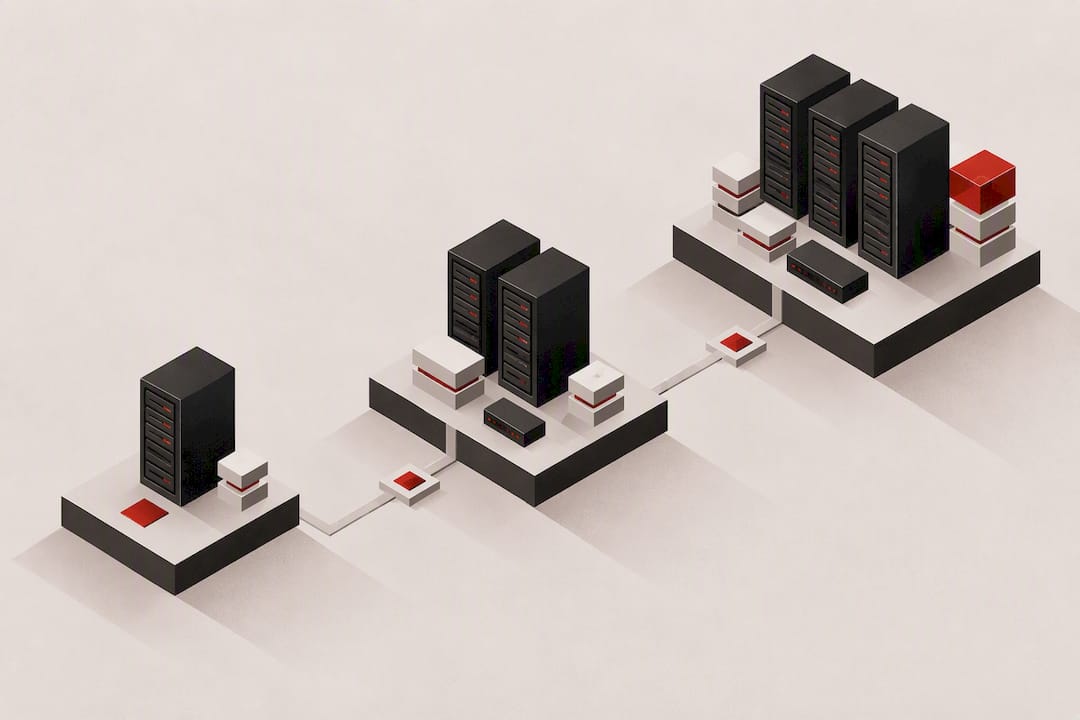
- Entry tier (roughly 1 to 2 vCPUs, 1 to 2 GB RAM, SSD storage): fits a personal blog, a VPN or proxy endpoint, or a lightweight development sandbox where uptime matters more than raw speed.
- Mid tier (2 to 4 vCPUs, 4 to 8 GB RAM, SSD or NVMe): fits a WordPress site with real traffic, a small business web app, or a database-backed API serving moderate request volume.
- High-performance tier (4+ vCPUs, often dedicated, 16 GB+ RAM, NVMe required): fits remote desktop automation running multiple sessions, CI/CD build servers compiling frequently, and any database under sustained write load.
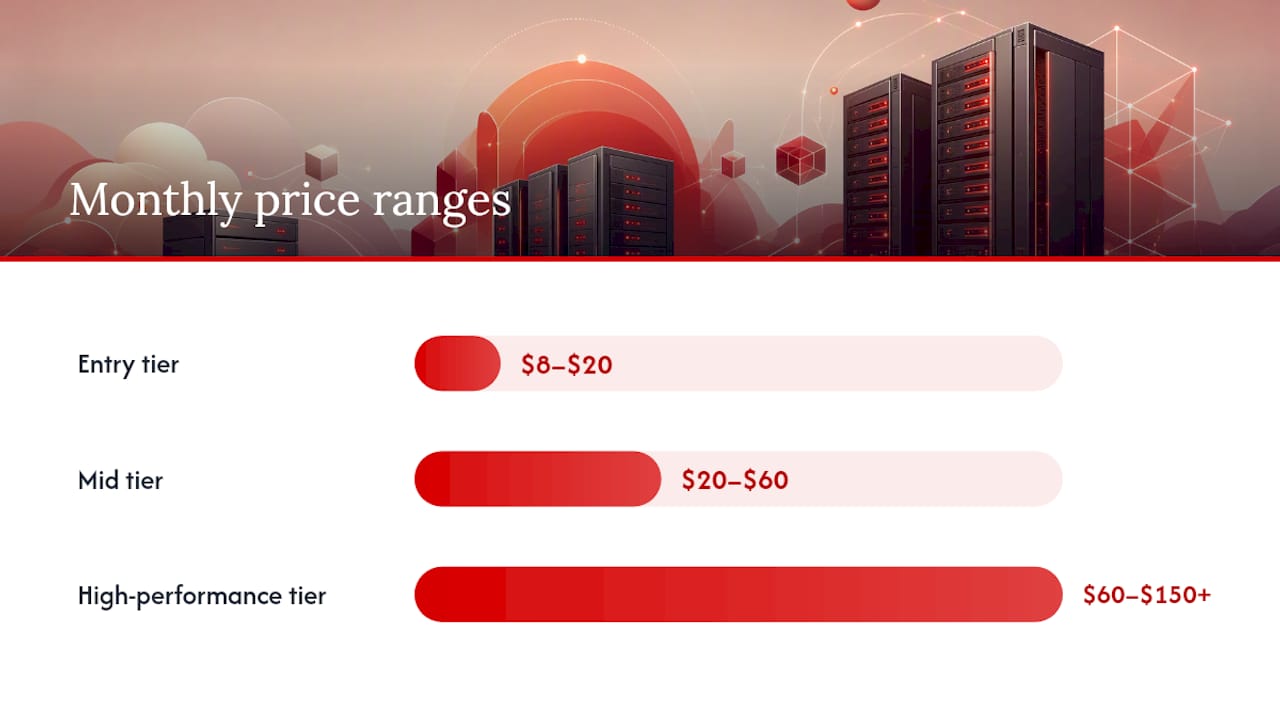
Entry-tier plans commonly run $8 to $20 per month, mid tiers $20 to $60, and high-performance tiers $60 to $150 or more, based on typical VPS pricing structures. The jump between tiers usually reflects dedicated CPU access and NVMe storage more than raw RAM count.
One pattern catches new buyers off guard: a workload that looks light on paper, such as a remote desktop session running design software, can behave like a high-performance job the moment two or three people log in simultaneously. Size for concurrent sessions, not just the software’s minimum requirements.
How Do You Choose the Right Server Tier?
Start by watching your actual usage before committing to a bigger plan than you need. Track CPU percentage, RAM percentage, disk I/O wait time, and network throughput for two to four weeks on a modest tier. If none of those metrics regularly cross 70%, you have room to grow before upgrading.
When you talk to a provider’s sales or support team, ask these questions directly and get the answers in writing:
- Are the vCPUs dedicated or shared, and what happens during peak load on neighboring accounts?
- What is the sustained throughput and packets-per-second limit, not just the advertised port speed?
- What’s the backup retention period, and what’s the actual recovery time if something breaks?
- Can you resize vertically in place, or does upgrading require a full migration?
- What does the plan cost at renewal, and which add-ons (backups, extra IPs, licensing) are billed separately?
Pro Tip: Scaling up later is almost always cheaper than over-provisioning up front, according to a widely used VPS buying checklist*. Start on the smallest tier that comfortably fits your current load, then upgrade when the monitoring data tells you to, not before.*
Watch for three red flags in any provider’s terms: throttle policies described only in vague language instead of hard numbers, upgrade paths that force a full migration rather than a simple resize, and any hedging around backup availability or SLA response times. Providers who dodge specifics on any of these tend to dodge them for a reason.
How AceRDP Designs Its Server Support Tiers
Every tier runs on the same foundation: AMD Ryzen infrastructure for consistent CPU performance, NVMe storage for fast I/O, and an automated platform that provisions servers instantly rather than making you wait in a queue. DDoS protection and multi-location deployment across multiple locations are built into the infrastructure, not sold as an upsell.
That combination matters most for the workloads this article flags as demanding: database-backed apps that need fast disk I/O, and remote desktop sessions where CPU contention shows up instantly as lag. Buyers evaluating any provider’s tiers, AceRDP included, should hold vendors to the same standard laid out above: dedicated resources where it counts, clear support scope, and no surprises at renewal.
— AceRDP
Compare AceRDP’s Plans and Talk to Sales Before You Commit
AceRDP runs every tier, from Bronze through Legend, on the same AMD Ryzen and NVMe foundation, so moving up a tier means more dedicated resources, not a different infrastructure gamble.

That consistency is the practical advantage over piecing together a setup from providers where entry and premium plans run on entirely different hardware. Bronze starts at €12 per month, Silver at €20, Platinum at €40, Titanium at €60, and Legend at €80, all listed on the AceRDP plans page, with flexible payment by credit card or crypto. Provisioning is instant across multiple locations, and 24/7 support is offered to answer vendor questions before you commit to a monthly bill.
If you are still sizing your workload, bring the checklist from the section above straight to AceRDP’s support team. Compare the Bronze through Legend tiers side by side on the pricing page, and ask sales directly about dedicated vCPU availability and backup retention for the tier you’re eyeing.
Sources
For a deeper look at how VPS pricing breaks down by tier, Webmenta’s cost guide lays out real dollar ranges for entry, mid, and high-performance plans. HostingGuider’s sizing guide explains the CPU, RAM, and NVMe tradeoffs in more technical detail. For vendor evaluation, LinuxTeck’s VPS guide covers the exact throughput and SLA questions worth asking before you sign up. Readers sizing servers for AI or custom software workloads may also find LogicBranch’s SaaS development insight useful for understanding backend resource demands.
- How to Choose the Right VPS Plan: CPU, RAM, Storage - HostingGuider
FAQ
What Is the Difference Between Managed and Unmanaged VPS Tiers?
Managed tiers include provider-handled OS patching, monitoring, and incident support, while unmanaged tiers leave server administration entirely to you. Managed plans typically cost more but reduce the operational risk for buyers without dedicated sysadmin staff, a tradeoff detailed in this VPS evaluation guide.
How Much RAM Do I Need for a Small Business App?
Traffic spikes and background processes eat into RAM faster than most buyers expect, so undersizing shows up as swapping long before an outright crash.
Does AceRDP Offer 24/7 Support Across All Plan Tiers?
AceRDP includes 24/7 technical support for its Windows and Linux VPS and RDP plans, backed by an automated management platform for provisioning. Specific response-time details for your chosen tier are best confirmed directly with sales before purchase.
When Should I Upgrade to a Higher Server Tier Instead of Migrating?
Vertical resizing works when your current provider supports in-place upgrades, letting you add vCPUs or RAM without rebuilding the server. Migration becomes necessary when you need a different storage type, like moving from SATA SSD to NVMe, or when your current infrastructure has no headroom left to scale into.
How Much Does an AceRDP VPS Plan Cost?
AceRDP’s Bronze plan starts at €12 per month, with Silver at €20, Platinum at €40, Titanium at €60, and Legend at €80, all listed on the AceRDP pricing page. Gold, Diamond, and Obsidian pricing is available on request through the same page.